



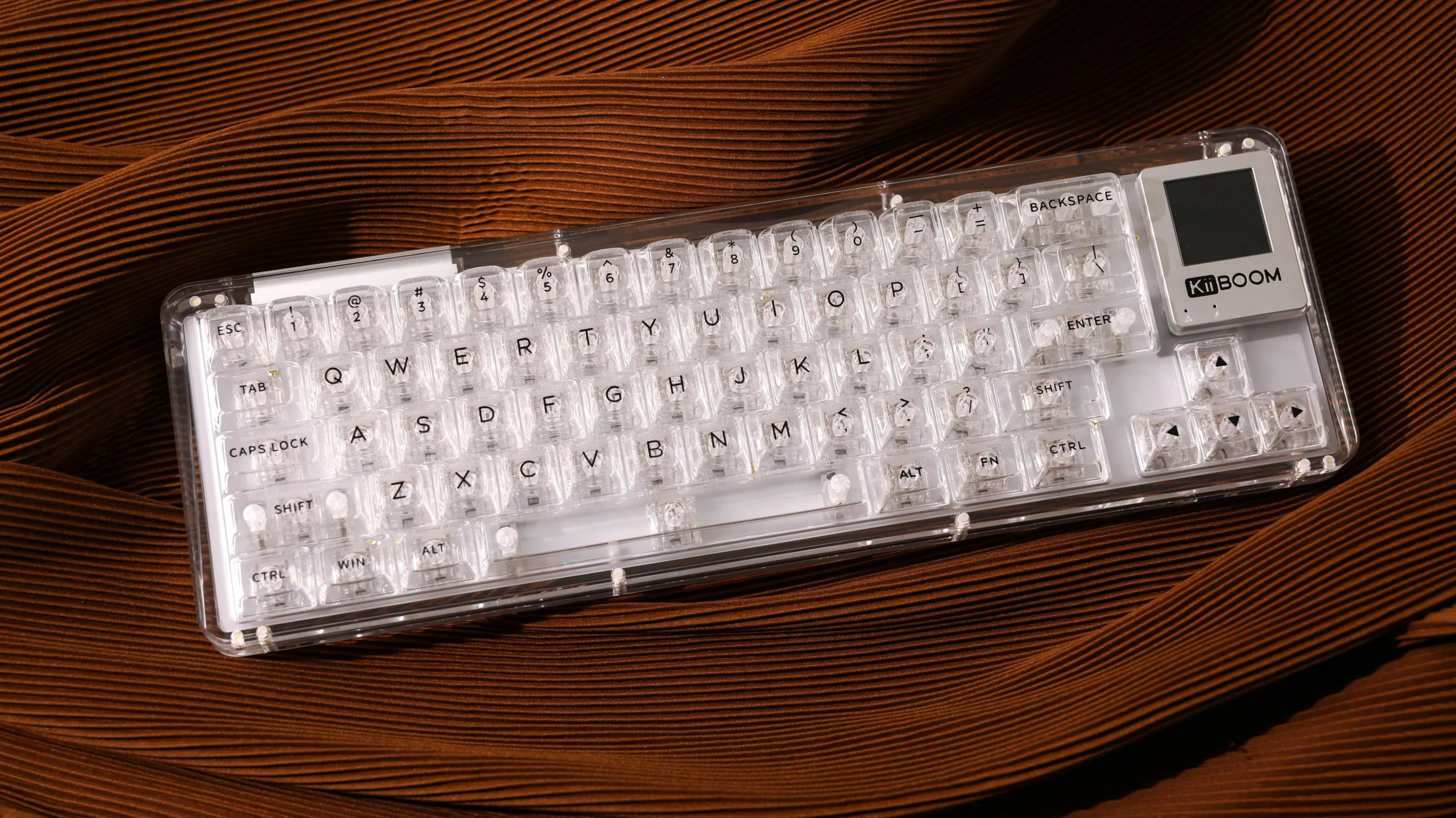
In the world of modern computing, user experience is everything. Whether you’re a gamer, programmer, or digital artist, the tools you use can make a significant difference in your productivity and overall enjoyment. One such tool that has seen a dramatic evolution in recent years is the keyboard. Enter customizable keyboard with display—a cutting-edge solution that allows you to personalize your typing experience like never before. In this article, we’ll explore what these keyboards are, their benefits, and how they can revolutionize your workflow.
What Are Customizable Keyboards with Display?
Customizable keyboards with displays are an innovative type of keyboard that features small, programmable screens embedded in each key or section of the keyboard. These screens can display different information based on your needs. For instance, instead of just a static key label, each key could display a dynamic icon, a shortcut, or even live data that changes based on the task you’re working on.
These keyboards allow users to reassign key functions on the fly, and the display can adapt to show different settings depending on the software or environment you’re working in. This level of customization is especially beneficial for users who rely on specific shortcuts or who need to switch between different layouts frequently.
Why Should You Choose Customizable Keyboards?
Enhanced Productivity
One of the most compelling reasons to opt for a customizable keyboard with a display is the potential to increase productivity. By using a display for each key, you can assign macros, shortcuts, or application-specific functions that are visible at a glance. For example, a developer can assign function keys to display live variables or status codes, which can be incredibly useful during long coding sessions.
Flexibility and Personalization
Every user has different needs, and customizable keyboards with display give you the flexibility to adjust your keyboard’s layout to match your unique workflow. Whether you’re a graphic designer who needs quick access to color palettes or a gamer who requires specific key bindings, these keyboards can provide personalized solutions in real-time. The dynamic display options can help you stay organized and save time by reducing the need to remember complex keyboard shortcuts.
Seamless Software Integration
Another significant benefit is the ability to integrate the keyboard displays with the software you use most often. Many customizable keyboards with display are designed to work with popular programs like Adobe Creative Suite, Microsoft Office, or even custom gaming setups. With software integration, your keyboard can automatically adjust its key functions based on the active application, making it easier to work across multiple tasks without needing to manually reconfigure your settings each time.
How Customizable Keyboards with Display Improve User Experience
Instant Feedback
Having a display on each key provides instant feedback about the function assigned to that key. This is particularly helpful for users who frequently switch between different tasks or software environments. For instance, when working with video editing software, the display on each key could show thumbnails of your video clips or playback controls, so you always know exactly what each key will do before you press it.
Visual Appeal
Customizable keyboards with display are not just functional—they are also aesthetically pleasing. With dynamic and colorful displays, you can make your workspace feel more personalized and exciting. Whether you want a sleek, minimalist look or a vibrant, eye-catching design, these keyboards offer endless possibilities for customization.
Easier Workflow Transitions
For professionals who juggle multiple tasks or software applications, customizable keyboards with display can help ease the transition from one workflow to another. Rather than having to memorize different key layouts or manually adjust settings every time you switch apps, the keyboard will automatically adjust based on your current needs. This makes it easier to stay focused and avoid unnecessary disruptions in your work.
Who Should Use Customizable Keyboards with Display?
Gamers
For gamers, customizable keyboards with display are a game-changer. The ability to program keys for specific in-game actions and have each key display its function can improve gameplay efficiency. Whether you’re playing a fast-paced action game or a complex strategy game, having the right keys at your fingertips can make all the difference.
Developers and Programmers
Developers and programmers can benefit significantly from the versatility of these keyboards. The ability to display live data, error messages, or important variables on the keyboard’s display makes coding sessions smoother and more efficient. Instead of constantly switching between windows or tabs, you can have everything you need right at your fingertips.
Content Creators
For content creators, such as graphic designers, video editors, and music producers, a customizable keyboard with display can be a valuable asset. Assigning frequently used tools or commands to specific keys and having them clearly labeled on the display streamlines the creative process, helping you focus on what matters most—your craft.
Conclusion
Customizable keyboards with display are more than just a luxury—they’re an essential tool for anyone looking to elevate their computing experience. Whether you’re a gamer, developer, or content creator, the ability to tailor your keyboard to your specific needs is a powerful advantage. With features that enhance productivity, flexibility, and visual appeal, these keyboards represent the future of personalized user interfaces. If you’re ready to revolutionize your workspace and take control of your keyboard experience, it’s time to consider upgrading to a customizable keyboard with display.
